Accessing The Purchases Page
The Beam Purchases module gives you the ability to create, track, and organize purchase requests right from your Beam workspace. The home base of this module is the Purchases Page. In this tutorial we'll show you how to access and navigate the Purchases page.
Written By Francisco
Last updated 10 days ago
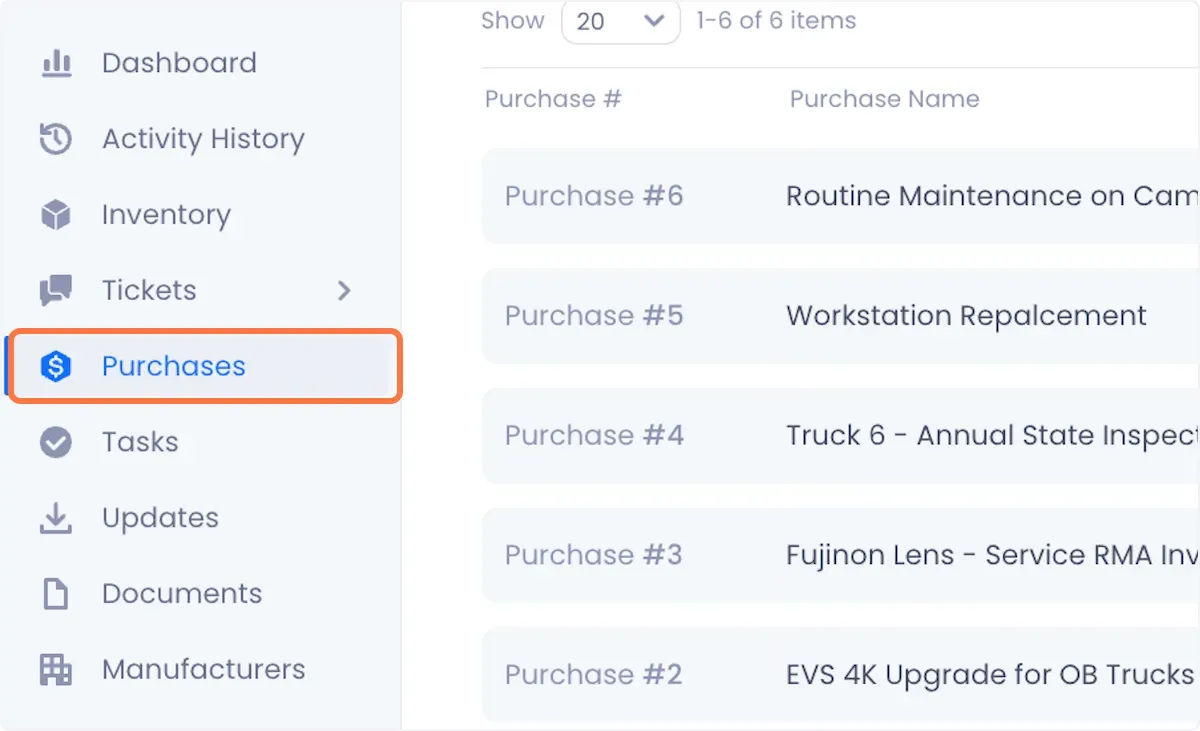
You can access the Purchases Page from anywhere in the platform by clicking on Purchases in the sidebar of your Beam workspace.
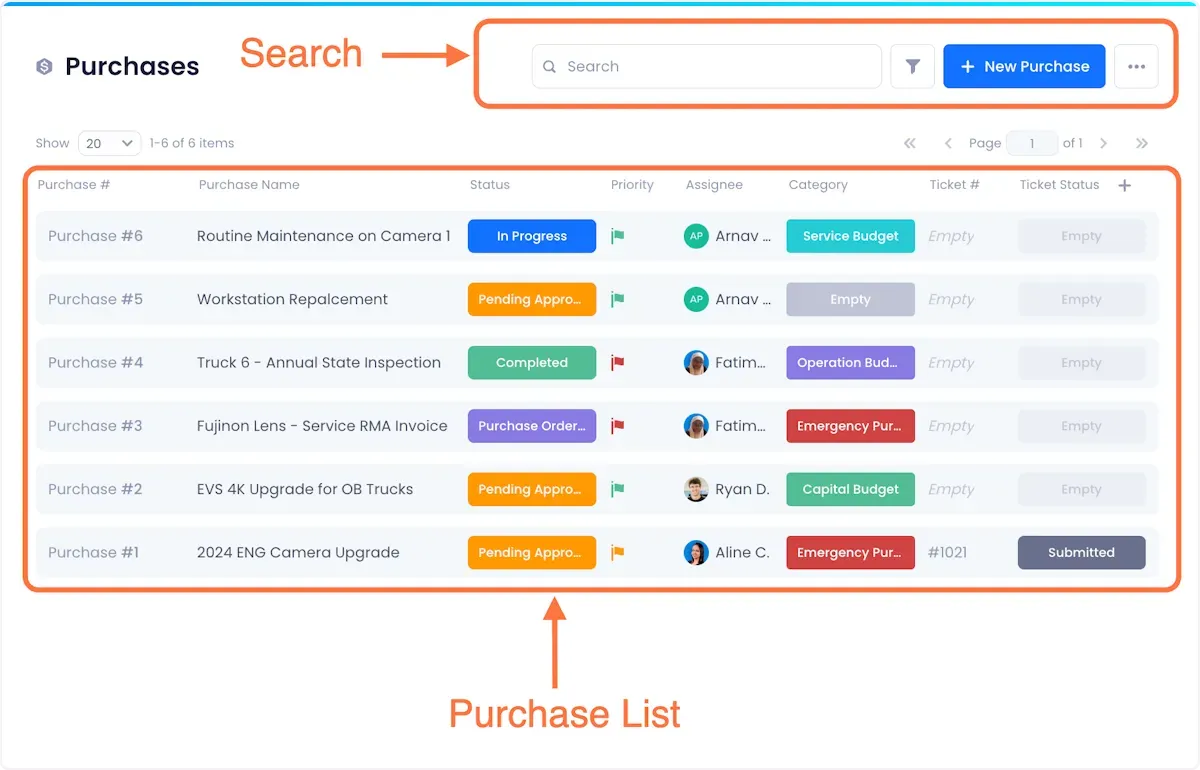
The Purchases Page is divided into two sections:
- Purchase List - a running list of the Purchases you've created in Beam.
- Search - As the name suggests, this is where you can search for specific Purchases from your list or filter the list to view purchase requests that meet specific criteria.
Was this helpful?
Still need help? Ask the team