Accessing Default Contact Fields
In this tutorial, we'll show you how and where you can view the default fields for Contacts in your Beam workspace.
Written By Francisco
Last updated 10 days ago
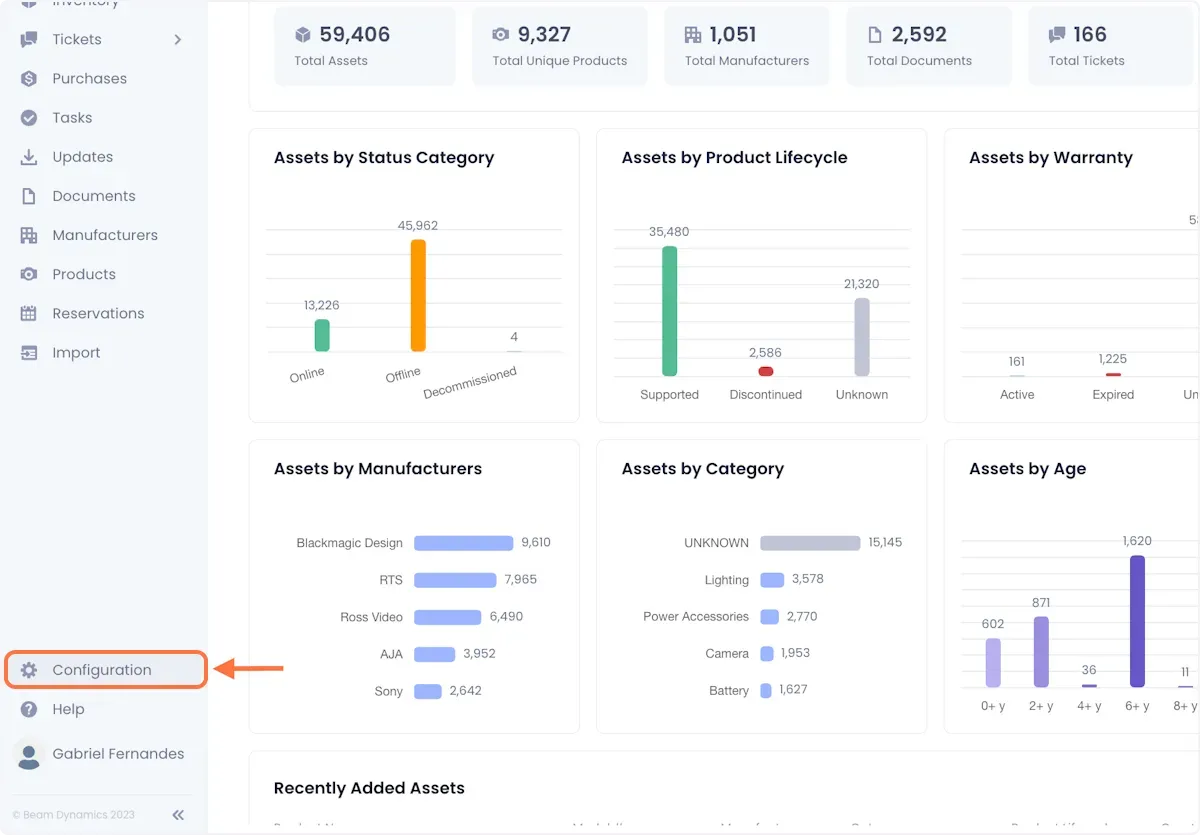
1. Click Configuration in the sidebar of your Beam workspace.
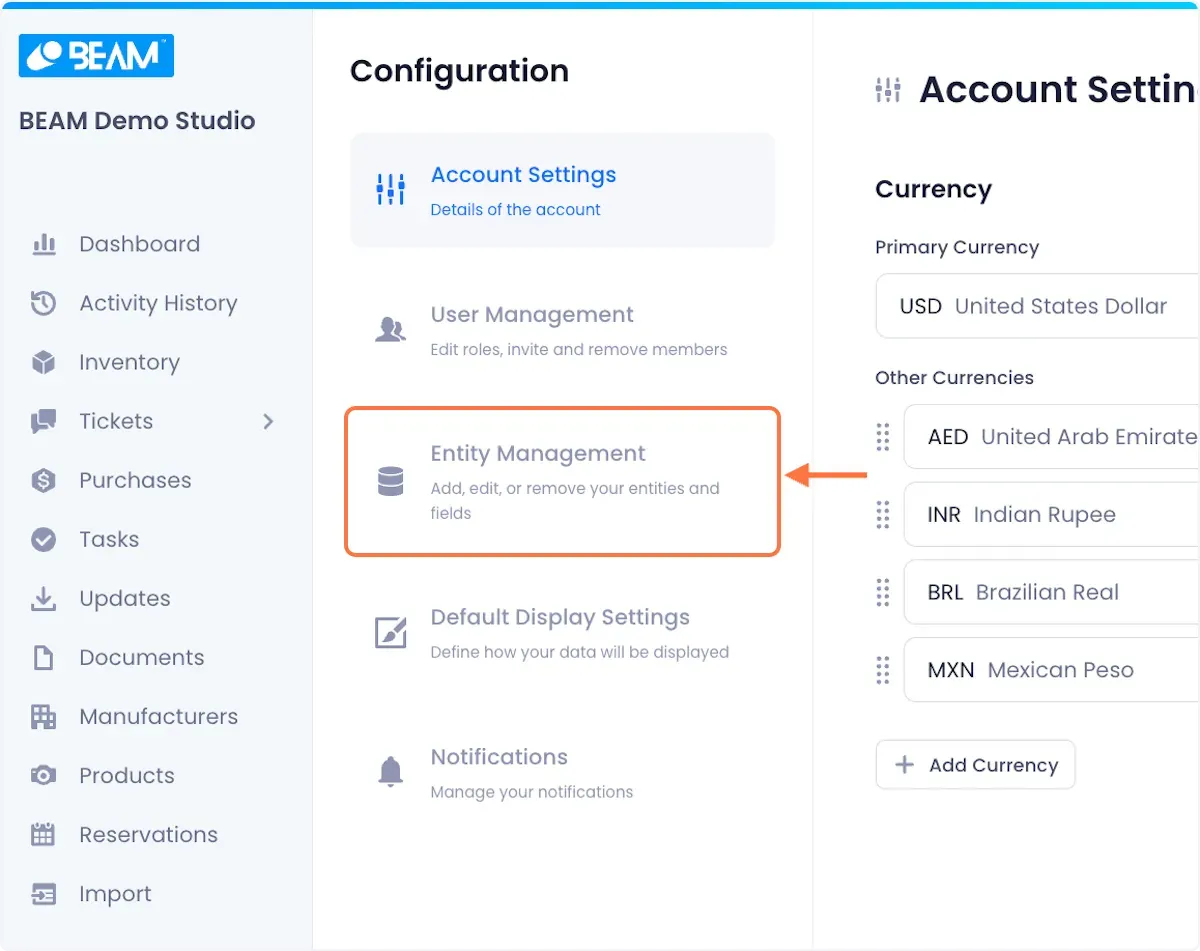
2. Click on Entity Management.
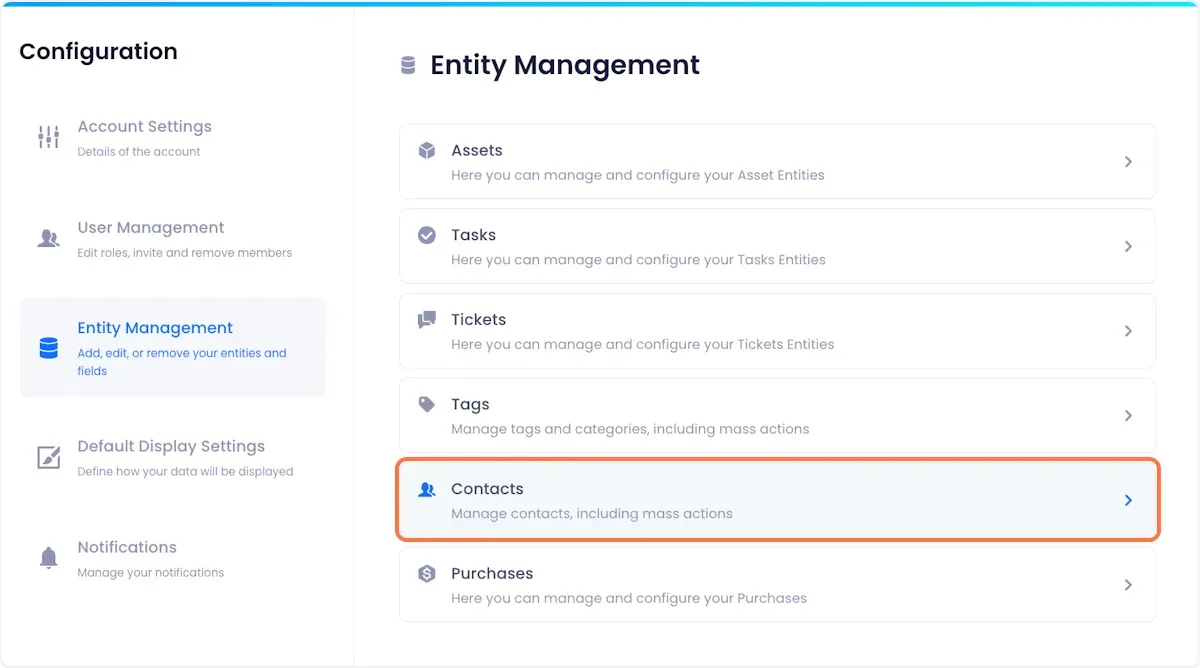
3. Select the Contacts Entity.
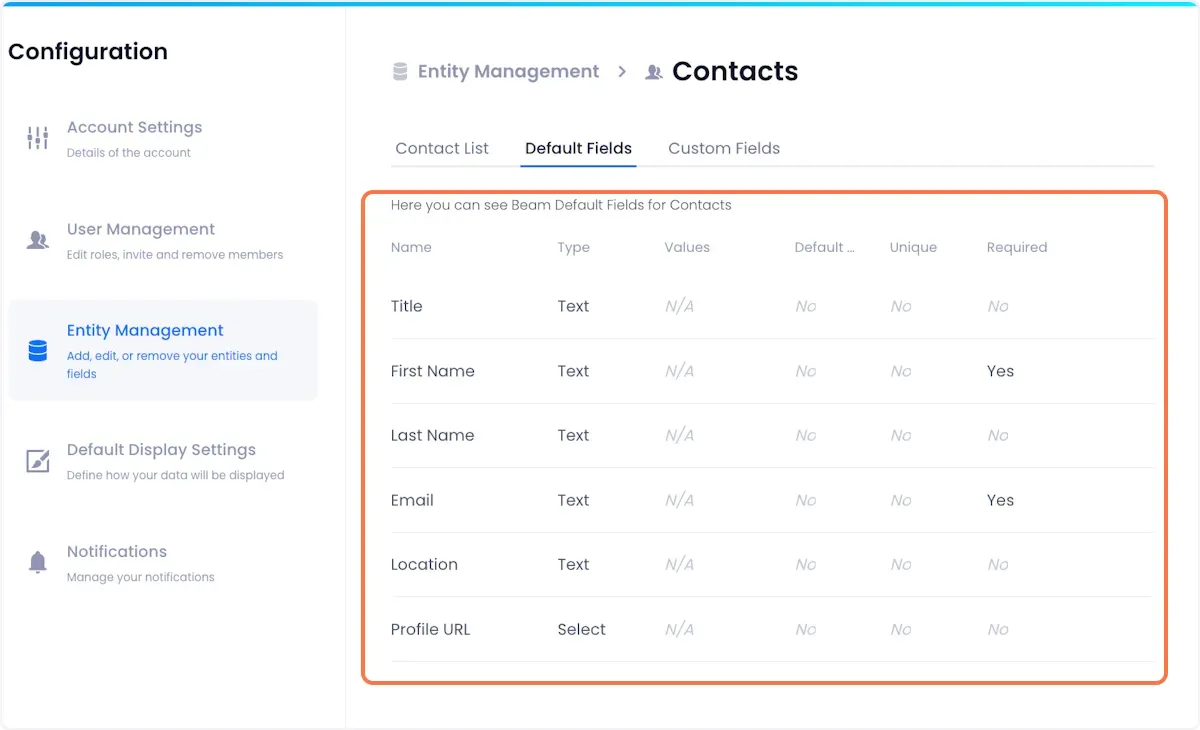
5. Click on the Default Fields tab at the top of the screen.
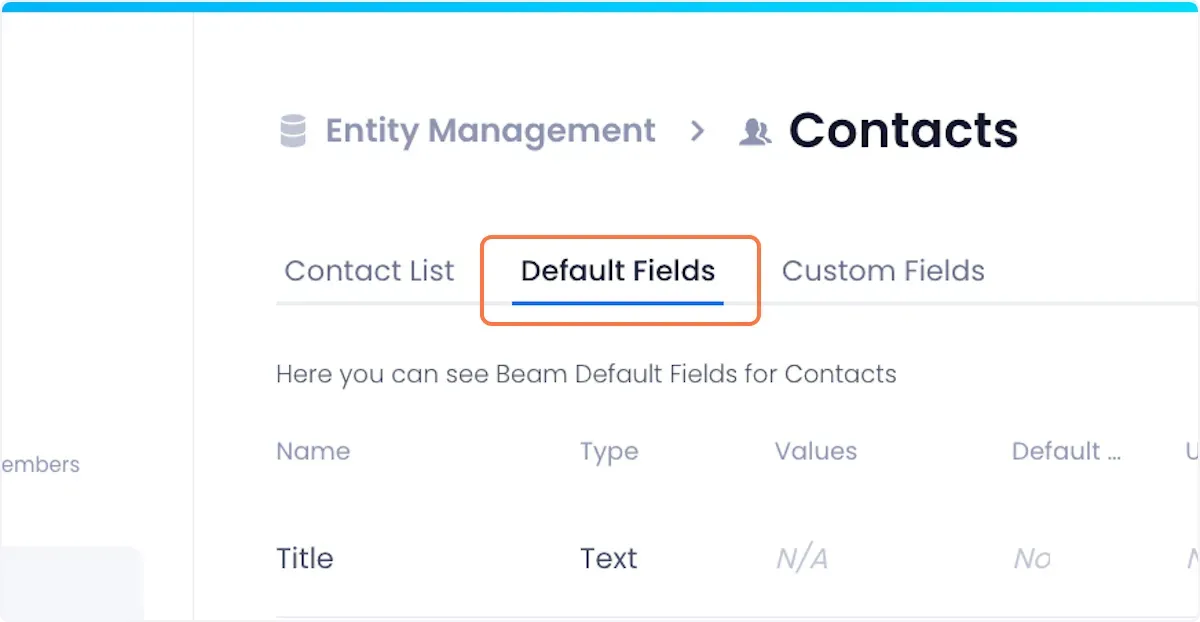
6. On the ensuing page, you will be able to see a comprehensive list of your default fields for Contacts.
Default fields store basic asset information that are commonly associated with contacts across organizations such as:
- Name
- Title
- Location
Was this helpful?
Still need help? Ask the team